Cyber Security Tip & Tricks
Showing posts with label technology. Show all posts

Friday, August 2, 2013

Locate your lost phone with Google Android Device Manager


Have you ever lost your phone in between the couch cushions or left it in a restaurant? Google announces its Official Security Apps "Android Device Manager" for locating and to safeguard your Android phone from getting stolen.  Android Device Manager can quickly ring your phone at maximum volume so you can find it, even if it’s been silenced or locate it on a map, in real time, using this application.    


It will allow you to track, locate and Wipe the data in your device remotely.  The tool will support the Android 2.2 version.  You need to signed into your Google Account to be able to use this tool.  This application will be able available to download from Google Play at the end of the month.

Like Apple’s iCloud Service which allows you to locate the iDevice, Google too will be offering soon this tool for users later this month as per the Official Google Blog. With simple features and easy to use interface, you would love to locate your Android device. Benjamin Poiesz is the Product Manager for this app from Google Inc.

 Google Android Device Manager  Features

Lock your device screen.  

Whether you’re on a phone or a tablet, it’s easy to set up a screen lock. This is important to do in case your device gets left in the back of a car, or you’re worried about someone picking up your phone and scrolling through your stuff. You can lock your device with a pin, password, pattern (or even your face!) by going to Settings > Personal > Security > Screen Lock.

Protect your phone from suspicious apps.  

We automatically scan Google Play to block and remove harmful apps. That makes Google Play the safest place to get Android apps. But Google Play can also help protect you even for apps you get elsewhere, like the web or a third-party app store. The first time you start to install an app from an unknown source, a message will pop up asking if you’d like Google to scan the file to make sure it’s not harmful. Tap “OK” to let Google help protect you from harmful apps.

Locate, ring and wipe a misplaced device.  

If you ended up dropping your phone between those couch cushions, Android Device Manager lets you quickly ring your phone at maximum volume so you can find it, even if it's been silenced. And in the event that your phone or tablet is out of earshot (say, at that restaurant you left it at last night), you can locate it on a map in real time.  If your phone can’t be recovered, or has been stolen, you can quickly and securely erase all of the data on your device to keep your data from ending up in the wrong hands. The Android Device Manager will be available for devices running Android 2.2 and above, as part of Google Play.

Protecting your personal information and data

While losing your phone can be stressful, Android Device Manager can help you keep your data from ending up in the wrong hands. If your phone can’t be recovered, or has been stolen, you can quickly and securely erase all of the data on your device.

Source: Android Blog, Google Blog

Wednesday, June 12, 2013

McAfee Security Innovations Mobile Security App


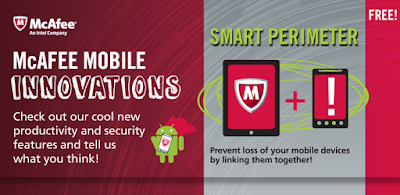
McAfee® released its new security apps "Mobile Innovations" provides you with an opportunity to try out groundbreaking new features to protect your device not to stolen or lose. The application aims specifically to help users not lose or have their device stolen, protect your data vault and to check the safeness of QR Codes. 


The app does so by working with the fact that users often have more than one device, letting them link the devices together to alert the user whenever the devices are more than 30 feet apart at any time. The so-called "Smart Perimeter" feature will set off an alarm if the devices become separated and let you track down whichever one is out of your possession.


To get this application click here or below link.
 
McAfee


McAfee Security Innovations Features

Smart Perimeter - Carrying more than one mobile device? Afraid of forgetting or losing them? Link them together and you will be alerted when they are separated by more than 30ft. Smart Perimeter will activate an alarm to let you quickly identify and recover your device.


Safe QR Reader - Ensure the QR codes are safe for browsing
Data Vault - Protect your private photos, videos and documents from prying eyes, locally on your device.


McAfee Security Innovations Mobile Security App Video

Tuesday, June 26, 2007

NASSCOM Tracks IT Adoption

NASSCOM has announced the 2006 Study, titled "Tracking of the IT Adoption Study" conducted among IT heads and senior IT managers from about 292 companies in India, across multiple verticals. The study showed that the growth of IT adoption was on an incline, with both large and SME companies buying more IT.

The study indicated that the highest average IT spending for 2006 was for the BFSI vertical followed by the energy and utility segment. The rate of increase in the average spending in each of these verticals was expected to be in the range of 12-27%, making them the most likely highest spending sectors in 2007 as well.

The third sector which was projected to witness a considerable hike in its IT spend was the tourism and hospitality industry. Rs.18 crore of IT expenditure, in this sector, was projected to grow by 13%, placing it among the highest tech-spenders in India, in 2007.

Interestingly, 1 out of 4 companies in both large scale and medium scale organizations indicated that their IT budgets would increase by around 10-19% during the current year.

NASSCOM's findings revealed that business continuity and risk mitigation were the key priority areas for CIOs. Increasing efficiency and process productivity was the business goal achieved through IT adoption in 2006.

Also, it revealed that the CIO's role as the "business leader" and then as a "technologist" was not the current prototype. IT spends were driven by hardware, followed by application and network software.

The NASSCOM study made it clear that CIOs would need to ensure that the business value of IT was proven and delivered. According to the study, the business benefit would have to be proved up-front, and the means of measuring benefits of IT - by perhaps using an overlay IT-business balanced scorecard approach, or by mapping the benefits perceived and by pre-empting outcome scenarios.

This in fact, was stated to be a major CIO challenge, which required them to be more business oriented. The effort of mapping business benefits was immense, even though some CIOs had already started measuring IT advantages, juxtapositioning them as trusted business advisors.

Recent Comments