Cyber Security Tip & Tricks
Showing posts with label encrypted password. Show all posts

Wednesday, May 21, 2014

Using strong passwords and secure your online credentials

Recently eBay has announced to their users that they should change their passwords immediately due to a cyber attack that compromised a database containing encrypted passwords. A press release sent out by the company stresses that only non-financial data was affected. eBay found no evidence of any unauthorized access to their financial or credit card information.  It is reported that PayPal, the popular payment processor network, has not been affected. Therefore it is strongly recommended all readers to look into their accounts and make changes in their passwords to be on the safe side.
To secure you online accounts you can use password managers and also use two-factor authentication facilities providing by Google, Facebook, Twitter, Dropbox and dozens of other sites.  If you're not up to using two-factor authentication or a password manager at least use a strong password that may protect your online accounts a great extend. 

Strong Passwords


Strong password can be created by mix up with numbers, lowercase letters, capital letters and special characters. Choose longer password and it is the better and not easy to decrypt. You are requested to never use the same password twice. If you are using the same password across the board and if a hacker does track down your password then they can easily have access to all of your accounts. Never use passwords like your kids name, birthday, anniversary, "1234567", or the ever popular, "password" it will be easily to hack your password. 

Password Managers

Password Managers are the best for keeping your passwords secure, while also keeping them organized. Some of the password managers offer a secure password generator so you don't have to do any thinking on the matter. Password mangers are great choices and offer values far beyond writing all of your passwords down in a "safe place".  Some of the popular password manager are list below.


Two-factor Authentication

Two factor authentication adds an extra layer of security to your Google accounts as well as other services like Facebook, Twitter and Dropbox. Account.  It may drastically reducing the chances of having the personal information in your account stolen. To break into an account with 2-Step Verification, bad guys would not only have to know your username and password, they'd also have to get a hold of your phone. Two-factor authentication adds an extra layer of security to your accounts, requiring you to enter a code provided either in an app (like Google Authenticator) or as a text message. The ensures that only you can get into the account, even if someone has your password. Read more on two-factor verification


Press Release of e-bay
SAN JOSE, Calif.--(BUSINESS WIRE)--eBay Inc. (Nasdaq: EBAY) said beginning later today it will be asking eBay users to change their passwords because of a cyberattack that compromised a database containing encrypted passwords and other non-financial data. After conducting extensive tests on its networks, the company said it has no evidence of the compromise resulting in unauthorized activity for eBay users, and no evidence of any unauthorized access to financial or credit card information, which is stored separately in encrypted formats. However, changing passwords is a best practice and will help enhance security for eBay users.
Information security and customer data protection are of paramount importance to eBay Inc., and eBay regrets any inconvenience or concern that this password reset may cause our customers. We know our customers trust us with their information, and we take seriously our commitment to maintaining a safe, secure and trusted global marketplace.
Cyberattackers compromised a small number of employee log-in credentials, allowing unauthorized access to eBay's corporate network, the company said. Working with law enforcement and leading security experts, the company is aggressively investigating the matter and applying the best forensics tools and practices to protect customers.
The database, which was compromised between late February and early March, included eBay customers' name, encrypted password, email address, physical address, phone number and date of birth. However, the database did not contain financial information or other confidential personal information. The company said that the compromised employee log-in credentials were first detected about two weeks ago. Extensive forensics subsequently identified the compromised eBay database, resulting in the company's announcement today.
The company said it has seen no indication of increased fraudulent account activity on eBay. The company also said it has no evidence of unauthorized access or compromises to personal or financial information for PayPal users. PayPal data is stored separately on a secure network, and all PayPal financial information is encrypted.
Beginning later today, eBay users will be notified via email, site communications and other marketing channels to change their password. In addition to asking users to change their eBay password, the company said it also is encouraging any eBay user who utilized the same password on other sites to change those passwords, too. The same password should never be used across multiple sites or accounts. Source: BusinessWire


Sunday, June 9, 2013

Dashlane Password Manager having Two-Factor Authentication


It is a fact that there's no way we can keep up separate and secure passwords for all our logins spread all over the Internet. Writing them all down on post-it notes is not a very good solution. 
Password Manager is the solution in front of us and there are certain key features we have to check before going for a Password Manager software. Check for encryption standards, authentication, secure password generation and smart autofill (a must while using on the small screen of a phone).


Dashlane, is one of the password managers who is having all the above features.  Now its took the wraps off of a major update, including two-factor authentication via Google Authenticator, a completely overhauled interface for all apps, and a wizard to help new users boost their security.  The free version of Dashlane works really well. Even the free desktop version (Windows and Mac OS) has plenty of features and configurable plug-ins for Chrome, Firefox and Safari. The app and the desktop program do everything you'd want or need from a password utility, all for free.  Premium version of Dashlane is also there for $20 a year and you can have unlimited devices synchronized through the service (the free version limits you to one mobile device). Give Dashlane a try and I'll sure that you find it suits for your needs.  Download: Dashlane Password Manager (Free).  

  • Dashlane recently introduced their brand new browser extension, complete with a customized password generator! (Currently available on Chrome, Firefox and Safari)
  • New Features: Find and launch your logins, customize your randomly generated passwords, auto-fill them in a single click, and easily access Dashlane tips & tricks from our new browser extension.
  •  Add length, special characters, and even make your randomly generated passwords pronounceable
  • Use the browser extension's strength indicator to make sure your passwords are lock-tight.
  • Compatibility with Chrome 25, with a tutorial on how to enable your browser extension.
  • Sign up to join our beta program from within the desktop app. Improved: Dashlane notifications and web cards have a new and improved look.
Dashlane is an award-winning service that revolutionizes the online experience by replacing the drudgery of everyday transactional processes with convenient, automated simplicity - in other words, letting you get to the good stuff faster. 

Express checkout: Buy in seconds anywhere, no typing required. Automatically fill out all checkout fields with one click. Store all the info you need to buy online in one secure, private place. 

Password manager: Your Dashlane password is the last one you'll ever need. Stop remembering passwords, let the app do that for you. Gauge security of your passwords and easily upgrade them. 

Only your Dashlane password can unlock your data and only you have it Automatic login. Sign in automatically to your favorite sites, without lifting a finger. Manage multiple accounts on the same site easily and quickly. Choose which sites you'd like to get into fast, and which you don't. Automatic form-filling: The smartest, most accurate form-filler you've ever seen. Instantly fill out any form with a single click. Manage multiple identities, addresses, payment info and more to fill out forms all kinds of forms. Secure and encrypted notes: Store your software license numbers, wi-fi passwords, gift list, ideas or anything you'd like. Super-safe and private, and accessible wherever you go. Keep your data secure and private: All data is AES-256 encrypted locally on your computer. The only way to access your data is with your master password, which only you have. Not even Dashlane can touch your data. You can remotely deactivate any device you've synced to your account in case of loss or theft. Multi-platform and synced to the cloud: Access your data wherever you are. Use it on Macs, PCs, at home, on your favorite browser, and your preferred smart phone and tablet. Dashlane goes everywhere you go, and nowhere else.


Friday, November 16, 2007

Secure Passoword Reminder - RoboForm 6.9 Released


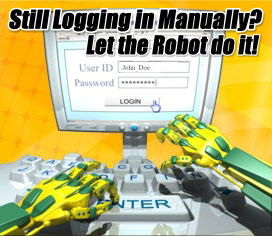
RoboForm makes logging into Web sites and filling forms faster, easier, and more secure. RoboForm memorizes and securely stores each user name and password the first time you log into a site, then automatically supplies them when you return. RoboForm's powerful Logins feature eliminates the manual steps of logging into any online account. With just one click RoboForm will navigate to a Web site, enter your username and password and click the submit button for you.

RoboForm 6.9 New Features
* Support Netscape 9.0 and Firefox 3 alpha.
* Fix Print List font size.
* Fix Assert in FrameManager:5408.
* Fix AutoLogoff on Standby, it was not always logging off.
* Fix position of current item in multi-page menu when showing next page.

You can reduce the time you spend filling out Web forms and logging onto subscription sites with RoboForm. This major update improves usability significantly and replaces the old, clunky auto fill window with a less-obtrusive tool bar. If you don't like the standard tool bar placement, you can run it at the bottom of the browser instead. That's the standard placement for Mozilla-based browsers. The program uses encryption algorithms such as Blowfish and AES to protect your data and includes a password generator. You can set up multiple identities with different credit-card numbers, passwords, and contact information. The trial limits the tab instances on each identity to three, but you can make plenty of identities.

To Visit Roboform Site Click here.

To download Roboform Software Click here.

Related Posting:
Password Management Software - RoboForm free edition.
Remember your usernames and passwords Use Sxipper Firefox extension


Wednesday, October 10, 2007

Password Management Software - RoboForm free edition

RoboForm: Learn more...

RoboForm is a password management software with Artificial Intelligence built in that can automatically fill online forms for you. It has been featured on The Wall Street Journal, CNN, The New York Times, Financial Times, PC Magazine, etc.

Nowadays we all have many usernames and passwords to use on the internet. Some spywares record your keystrokes and send them to the hackers. It has been reported many times that people lost all their money in online bank account or internet payment system account.

One of RoboForm key features is designed to combat this kind of key logger hacking. RoboForm can:

* AutoSave passwords in browser.
* AutoFill passwords to login form.
* Click Login button for you.
* Fill personal info into online forms.
* Save offline passwords & notes.
* Generate Secure Random Passwords.
* Encrypt passwords and personal info using 3-DES.
* All personal info is stored on your computer only.
* Put passwords on USB KeyChain for extra security.
* Sync your passwords and safenotes to a Palm.
* Backup & Restore, Print your passwords.

RoboForm works best with IE 5.0 and above. IE6 is the recommended browser to use with Artificial Intelligence RoboForm.

Note: free edition comes with some limitations.

To Visit Roboform Site Click here.
To download Roboform Software Click here.

Recent Comments